
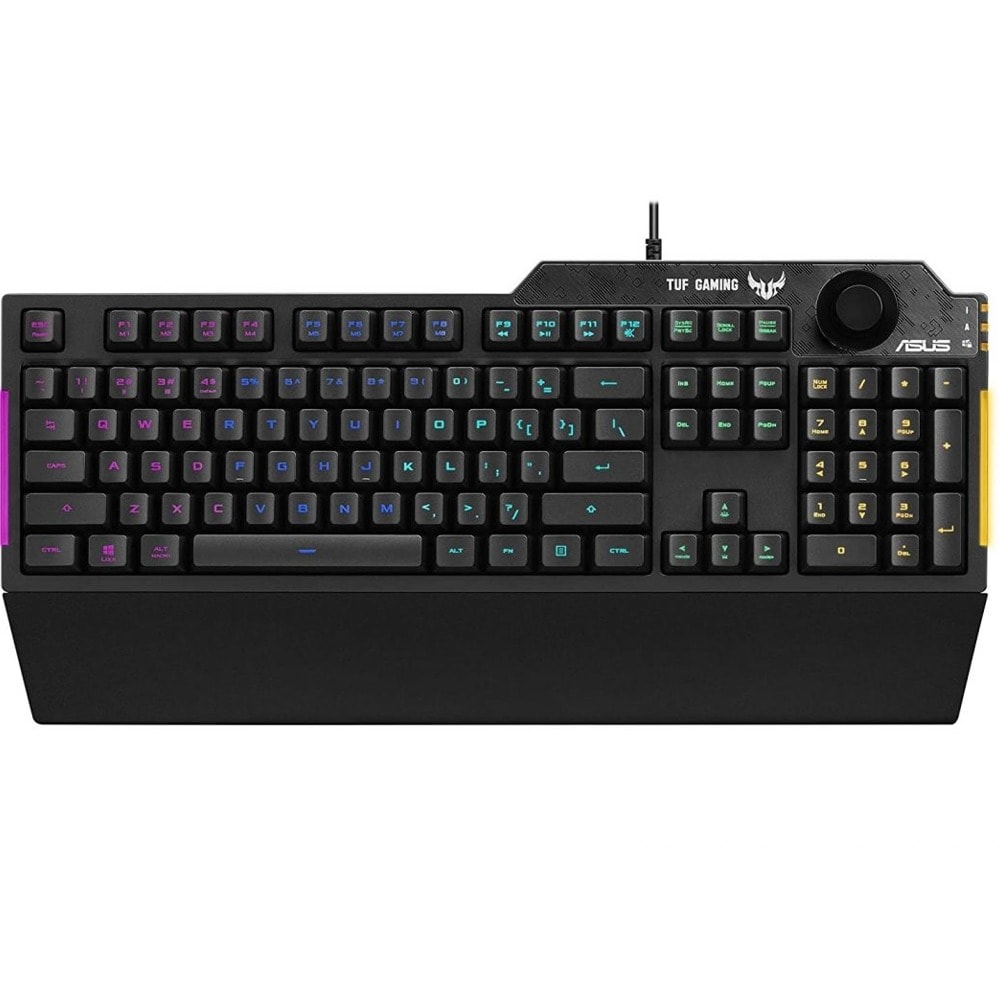
Клавиатура Asus TUF Gaming K1
ASUS TUF Gaming K1 RGB keyboard with dedicated volume knob, spill-resistance, side light bar and Armoury Crate
- Tactile TUF Gaming switches with 19-key rollover for responsive, reliable performance
- Dynamic RGB lighting effects and side-mounted light bar to illuminate your game
- Durable, reinforced plastic frame with up to 300 ml spill-resistance for everyday stability and reliability
- Programmable keys with on-the-fly macro recording and onboard memory for personalized gameplay
- Armoury Crate app provides extensive controls and an intuitive interface to make the keyboard your own
.png "Клавиатура Asus TUF Gaming K1, гейминг, RGB подсветка, черна, USB - характеристика 1 | Клавиатури")
ASUS TUF Gaming K1 is a gaming keyboard that delivers uncompromising performance and exceptional durability. It's equipped with switches that deliver silent tactility with every press. These are housed in a 300 ml spill-resistant frame that's fortified by a specialized coating and validated for tough duty. K1 also features customizable RGB illumination and side-mounted light bars for personalized style, a dedicated volume knob for fast, intuitive control and a detachable ergonomic wrist rest for extended comfort.
.jpg "Клавиатура Asus TUF Gaming K1, гейминг, RGB подсветка, черна, USB - характеристика 2 | Клавиатури")
TUF Gaming K1's delivers a superb tactile response with a cushioned action that's both quiet and comfortable. It's also engineered with 19-key-rollover (NKRO) technology, ensuring remarkable precision and no missed key presses.
.jpg "Клавиатура Asus TUF Gaming K1, гейминг, RGB подсветка, черна, USB - характеристика 3 | Клавиатури")
With a dedicated volume knob at the top-right, TUF Gaming K1 makes it quick and easy to control your game audio on the fly. You can reach and twist intuitively, keeping your eyes firmly on the action.
.jpg "Клавиатура Asus TUF Gaming K1, гейминг, RGB подсветка, черна, USB - характеристика 4 | Клавиатури")
With a detachable wrist rest and adjustable legs that provide two height positions, TUF Gaming K1 is ergonomically designed for optimal comfort.
.jpg "Клавиатура Asus TUF Gaming K1, гейминг, RGB подсветка, черна, USB - характеристика 5 | Клавиатури")
On-the-Fly Macro Recording:
Step 1: Fn + Right-ALT to Start Recording
Step 2: Fn + Right-ALT to End Recording
Step 3: Assign Macro Key
Fn + Delete: Red Increase (10 Levels)
Fn + End: Green Increase (10 Levels)
Fn + PageDown: Blue Increase (10 Levels)
F1-F8 keys Programmable
On-the-Fly Macro Recording:
Step 1: Fn + Right-ALT to Start Recording
Step 2: Fn + Right-ALT to End Recording
Step 3: Assign Macro Key
WIN Lock Key
Lighting Brightness Level Switch
Forward (F9)
Play/Pause and Stop (F10)
Backward (F11)
Mute/Unmute (F12)
1 x TUF GAMING K1 gaming membrane keyboard
1 x Wrist rest
1 x Quick start guide
1 x Warranty booklet
Технически характеристики
| Step 1 | Fn + Right-ALT to Start Recording |
| Step 2 | Fn + Right-ALT to End Recording |
| Step 3 | Assign Macro Key |
| Fn + 1/ 2 / 3/ 4 | Profile 1 - 4 (4 is the Default Profile) |
| Fn + Delete | Red Increase (10 Levels) |
| Fn + End | Green Increase (10 Levels) |
| Fn + PageDown | Blue Increase (10 Levels) |
| Step 1 | Fn + Right-ALT to Start Recording |
| Step 2 | Fn + Right-ALT to End Recording |
| Step 3 | Assign Macro Key |
| Keyboard | 451 x 155 x 36 mm |
| Wrist Rest | 451 x 66 x 18 mm |
| Keyboard | 810g |
| Wrist Rest | 95g" |